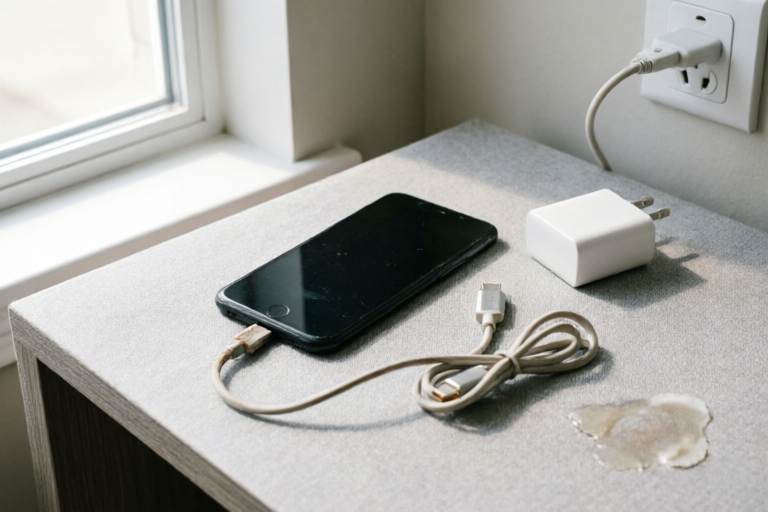
Why Does My Phone Keep Restarting?
Fix Your Phone's Frequent Restarts
### Article Outline: Why Does My Phone Keep Restarting?
1. Introduction to the Problem
Explanation of Common Symptoms Leading Users to Ask This Question:
Have you ever found yourself frustrated when your phone suddenly restarts without warning? This issue can disrupt your daily routine and leave you questioning the reliability of your device. The most common symptoms include:
- Your phone freezes or becomes unresponsive.
- The screen goes black, and the phone powers down unexpectedly.
- The home button stops working.
- The phone heats up excessively before restarting.
Brief Overview of Potential Causes for Frequent Phone Restarts:
Frequent restarts can be caused by a variety of factors, including software bugs, hardware malfunctions, memory issues, or even improper use. In this article, we will explore these potential causes in detail and provide practical solutions to help you resolve the problem.
2. Software-Related Issues
Discuss How Outdated or Corrupted Operating Systems Can Cause Reboots:
One of the most common reasons for frequent phone restarts is an outdated or corrupted operating system (OS). When your phone's OS is not up-to-date, it may not be optimized for your device’s hardware, leading to instability and crashes. Additionally, corrupted files within the OS can cause similar issues.
To address this, ensure that your phone's OS is always updated to the latest version. You can do this by going to Settings > System > Software Update. If the update doesn't resolve the issue, try performing a factory reset. This will remove any corrupted files and restore the phone to its default state.
Mention Apps That Might Be Causing Instability and Crashes:
Sometimes, certain apps can cause your phone to restart. These apps might have bugs or conflicts with other installed applications. To identify problematic apps, monitor which apps you were using before the restart occurred.
- Uninstall recently installed apps: If you've recently downloaded new apps, try uninstalling them one by one to see if the issue persists.
- Check for app updates: Ensure all your apps are up-to-date. Developers frequently release updates to fix bugs and improve performance.
- Disable background apps: Some apps continue to run in the background, consuming resources and causing instability. Go to Settings > Apps > Background apps and disable unnecessary ones.
3. Hardware Problems
Explain How Physical Damage, Such as Liquid Damage or Loose Components, Can Lead to Unexpected Restarts:
Physical damage to your phone can also cause it to restart unexpectedly. Common causes include:
- Liquid damage: Accidentally spilling water or another liquid on your phone can short-circuit internal components, leading to restarts.
- Loose or damaged connectors: Over time, the connectors inside your phone can become loose or damaged, causing intermittent connectivity issues and restarts.
- Defective hardware: Certain hardware components, such as the motherboard or processor, can fail over time, causing the phone to restart.
If you suspect that your phone has been exposed to liquids, immediately turn it off and take it to a professional for repair. For loose connectors or defective hardware, it's best to consult a technician who can properly diagnose and fix the issue.
Address Issues Related to Battery Wear and Overheating:
Battery wear and overheating are two other common causes of unexpected restarts. As your phone's battery ages, its ability to hold a charge diminishes, which can lead to sudden shutdowns. Additionally, excessive heat generated by prolonged use or poor ventilation can cause the phone to restart as a safety measure.
- Monitor battery health: Check your phone's battery health by going to Settings > Battery > Battery Health. If the battery is degraded, consider replacing it.
- Avoid overheating: Use your phone in well-ventilated areas, avoid direct sunlight, and limit heavy tasks during hot weather.
4. Memory and Storage Concerns
Describe How Insufficient RAM or Full Storage Space Can Impact Phone Performance:
Your phone's performance heavily depends on its available RAM (Random Access Memory) and storage space. Insufficient RAM can cause your phone to slow down and eventually restart, while a full storage space can prevent the operating system from functioning properly.
- Low RAM: If your phone has limited RAM, it may struggle to handle multiple apps simultaneously, leading to crashes and restarts. Consider upgrading to a model with more RAM if possible.
- Full storage: A nearly full storage can prevent the OS from writing necessary temporary files, causing instability. Free up space by deleting unused apps, photos, and videos.
Provide Tips on Freeing Up Memory and Optimizing Storage:
- Delete unnecessary files: Regularly clear your phone's cache and delete temporary files. Go to Settings > Storage > Cached Data to free up space.
- Use cloud storage: Store large files, such as photos and videos, in the cloud to free up local storage. Services like Google Drive, iCloud, and Dropbox offer ample storage options.
- Uninstall unused apps: Remove apps that you no longer use. They consume valuable storage and can contribute to system instability.
5. Battery and Power Management
Analyze How Faulty Batteries or Power Management Settings Could Trigger Automatic Restarts:
Faulty batteries or incorrect power management settings can also cause your phone to restart automatically. A poorly functioning battery may not provide enough power to keep the phone running, leading to unexpected shutdowns. Similarly, misconfigured power management settings can cause the phone to enter low-power mode or shut down entirely.
Offer Solutions Like Replacing Batteries or Adjusting Power-Saving Modes:
- Replace the battery: If your phone's battery is old or degraded, consider replacing it. Most modern smartphones allow for easy battery replacement.
- Adjust power-saving settings: Go to Settings > Battery > Power Saving Mode and adjust the settings to better suit your usage patterns. Disabling features like Bluetooth, Wi-Fi, and GPS when not in use can extend battery life and prevent restarts.
6. Summary and Final Recommendations
Recap of the Main Points Discussed in the Article:
In this article, we explored several potential causes for your phone's frequent restarts, including software-related issues, hardware problems, memory and storage concerns, and battery and power management settings. Each of these factors can independently or collectively contribute to instability and unexpected restarts.
Provide Actionable Steps for Readers to Troubleshoot Their Specific Situation:
- Update your OS and apps: Ensure that your phone's operating system and all installed apps are up-to-date.
- Uninstall problematic apps: Identify and remove apps that may be causing instability.
- Check for physical damage: Inspect your phone for signs of liquid damage or loose components.
- Free up memory and storage: Clear cache, delete unnecessary files, and use cloud storage to optimize your phone's performance.
- Replace the battery if necessary: Upgrade your battery if it's degraded or faulty.
Encourage Seeking Professional Help if the Issue Persists After Trying Basic Troubleshooting Methods:
If you've tried the above steps and your phone continues to restart frequently, it may be time to seek professional assistance. A qualified technician can perform a thorough diagnosis and recommend appropriate repairs or replacements.
Comments

After following the tips in this article, my phone is running smoothly now. Thanks!

I suspect my phone got wet once. Could that be causing the restarts?

Is it possible that updating the OS could fix this? I haven't tried that yet.

My phone started restarting when my storage was almost full. Deleting some videos and photos helped a lot.

This worked for me! I replaced the battery and my phone hasn't restarted since.
I had this problem because one of my apps was crashing. Try uninstalling recently installed apps to see if that helps.
Same issue here. My phone keeps restarting every hour or so. I'm starting to think it's the battery.