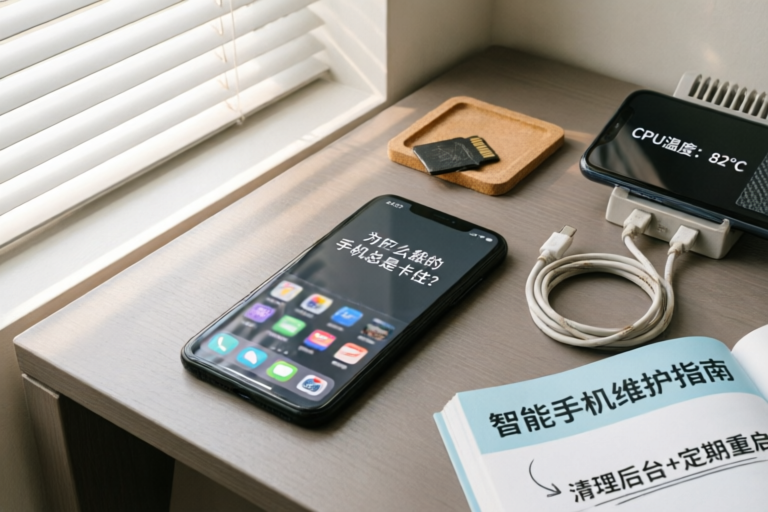
Why Does My Phone Keep Freezing?
Keep Your Phone Running Smoothly with These Easy Fixes
Introduction: Understanding the Problem
Have you ever found yourself frustrated by your phone freezing or lagging? It's a common issue that can significantly impact your user experience. In this article, we'll delve into why your phone might be freezing and provide actionable solutions to help you regain smooth performance.
Definition of Phone Freezing
Phone freezing refers to the moment when your device becomes unresponsive, often accompanied by a spinning wheel or loading screen. This can happen while using an app, making calls, or even when your phone is idle.
Common Signs and Impacts on User Experience
- Sluggish performance: Apps take longer to open or respond to touch inputs.
- Unresponsive interface: The home screen or app menus freeze, preventing navigation.
- Increased battery drain: Constant background processing can deplete your battery faster than usual.
Addressing this issue promptly is crucial to ensure your phone operates efficiently and to avoid potential data loss.
Causes of Phone Freezing
Insufficient Storage Space
One of the most frequent causes of phone freezing is running out of storage space. When your internal storage is nearly full, your phone struggles to allocate enough memory for temporary files and app operations, leading to performance degradation.
Outdated or Incompatible Apps
Using outdated or incompatible apps can also contribute to freezing. These apps may not be optimized for your phone's operating system version, causing conflicts that disrupt normal functioning.
Background Processes Consuming Too Much Memory
Your phone runs numerous background processes, such as syncing emails, updating apps, and maintaining network connections. If these processes consume excessive resources, they can overwhelm your phone's processor and RAM, resulting in freezing.
Battery Issues Affecting Performance
An aging battery can cause unexpected performance drops. As the battery degrades, it may not provide sufficient power to maintain optimal performance, especially under heavy usage.
Solutions for Improving Phone Performance
Clearing Cache and Uninstalling Unused Apps
Regularly clearing the cache of frequently used apps can free up valuable storage space and reduce the load on your phone's memory. Additionally, uninstalling apps you no longer use can help declutter your device and improve overall performance.
Updating Operating System and Applications Regularly
Maintaining the latest versions of your operating system and installed apps ensures compatibility and access to performance improvements. Updates often include bug fixes and optimizations that enhance stability and speed.
Managing Background App Refresh Settings
Adjusting the background app refresh settings can significantly impact your phone's performance. Limiting the number of apps that run in the background can help conserve battery life and reduce resource consumption.
Restarting the Device Periodically
Similar to rebooting a computer, restarting your phone clears temporary files and resets background processes. This simple step can often resolve minor performance issues and restore responsiveness.
Advanced Troubleshooting Techniques
Safe Mode Boot to Identify Problematic Apps
Booting your phone in safe mode allows you to start without third-party apps, helping you identify if a specific app is causing the freezing. Once identified, you can uninstall or update the problematic app.
Factory Reset as a Last Resort
If simpler solutions don't work, performing a factory reset may be necessary. This process erases all data and restores your phone to its original state, but it should only be done after backing up important information.
Checking for Hardware Malfunctions
In rare cases, hardware issues like faulty memory chips or connectors can cause freezing. If you suspect hardware problems, consult a professional technician for diagnosis and repair.
Preventive Measures to Avoid Future Issues
Regular Maintenance Tips
- Perform regular backups: Ensure your data is secure by backing up your phone regularly.
- Monitor storage usage: Keep track of available storage and delete unnecessary files.
- Update system and apps: Stay informed about updates and install them promptly.
Best Practices for App Management
- Select trusted sources: Only download apps from official stores to minimize security risks.
- Limit permissions: Be cautious about granting apps unnecessary permissions.
- Review installed apps: Regularly review and remove unused apps.
Battery Care Strategies to Enhance Longevity
- Avoid extreme temperatures: Store your phone at moderate temperatures.
- Use the original charger: Stick to the manufacturer's recommended charging accessories.
- Optimize battery settings: Adjust display brightness, reduce vibration, and enable airplane mode when not needed.
Conclusion: Ensuring Smooth Operation
In conclusion, understanding the root causes of phone freezing and implementing preventive measures can help maintain optimal performance. By following the tips outlined in this article, you can ensure your phone runs smoothly and efficiently. Remember, proactive maintenance is key to extending your device's lifespan and enjoying a seamless user experience.
If you encounter persistent issues, consider reaching out to customer support or visiting a professional for further assistance.
Comments

Just restarting my phone once a day fixed the freezing. Simple but effective.
Deleted some videos and photos to free up space. Now my phone runs much better.

I update my OS and apps regularly, and I haven't had any freezing issues since.

Used safe mode and found out an app was causing the freeze. Removed it and everything's smooth now.

Clearing cache and uninstalling unused apps really helped. No more constant freezing!
I noticed my phone froze more when the battery was low. Tried keeping it charged and it helped a bit.

I did a factory reset and it worked for a while but the problem came back. Anyone else experience this?

Same issue here. My phone freezes every time I have multiple apps open. Any tips for reducing background processes?