What Is the Best Way to Improve Wi-Fi Signal?
Boost Your Wi-Fi Signal Today!
Introduction to Wi-Fi Signal Issues
Wi-Fi has become an essential part of our daily lives, powering everything from streaming media to online gaming and video calls. However, many users experience weak or unstable Wi-Fi signals, leading to frustrating buffering, dropped connections, and slow speeds. In this article, we'll explore the best ways to improve your Wi-Fi signal, ensuring a stronger and more reliable internet connection.
Common Problems with Weak Wi-Fi Signals
Weak Wi-Fi signals can manifest in various ways:
- Slow download and upload speeds: This is often the most noticeable issue, especially when streaming high-definition content or downloading large files.
- Dropped connections: Devices may suddenly lose their connection to the Wi-Fi network, requiring a manual reconnection.
- Intermittent connectivity: The connection may work fine at times but become unreliable during peak usage hours.
The Importance of a Strong and Stable Internet Connection
A strong and stable Wi-Fi signal is crucial for modern-day living. Whether you're working remotely, attending virtual meetings, or enjoying entertainment, a consistent connection ensures productivity and enjoyment without interruptions.
Understanding the Basics of Wi-Fi Signals
To effectively improve your Wi-Fi signal, it's important to understand how Wi-Fi works and the factors that can affect its performance.
How Wi-Fi Works and What Affects Its Performance
Wi-Fi operates using radio waves to transmit data between devices and routers. The signal travels through the air, and its strength can be affected by several factors:
- Distance: The further away a device is from the router, the weaker the signal becomes.
- Obstructions: Walls, furniture, and other physical objects can block or weaken the signal.
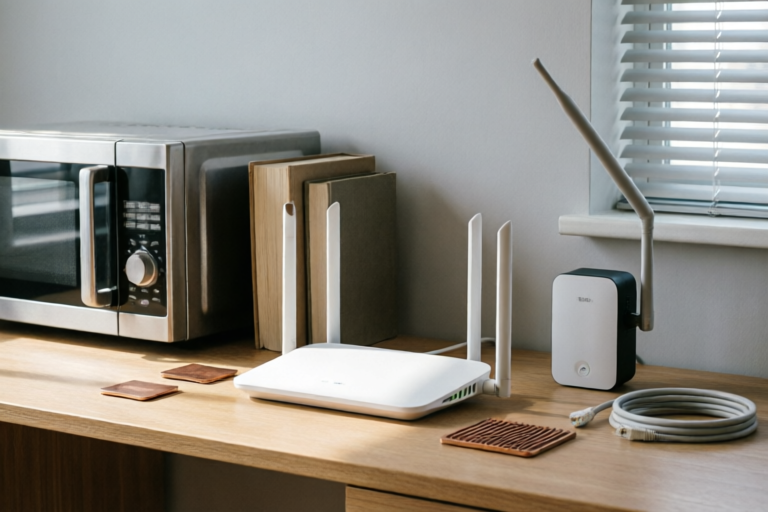
- Interference: Other electronic devices, such as microwaves, cordless phones, and Bluetooth devices, can interfere with Wi-Fi signals.
- Frequency: Wi-Fi operates on specific frequency bands (2.4 GHz and 5 GHz), and overcrowded channels can lead to slower speeds.
Factors That Can Weaken Your Wi-Fi Signal
In addition to the above factors, other issues can contribute to a weakened Wi-Fi signal:
- Router age: Older routers may not support the latest Wi-Fi standards, resulting in slower speeds.
- Router location: Poor placement can significantly impact signal coverage.
- Network congestion: Many devices connected to the same network can slow down overall performance.
Hardware Solutions for Improving Wi-Fi Signal
One of the most effective ways to improve your Wi-Fi signal is by upgrading or optimizing your hardware. Here are some hardware solutions to consider:
Upgrading Your Router or Modem
If your current router is outdated or underpowered, upgrading to a newer model can provide significant improvements. Look for routers that support the latest Wi-Fi standards, such as Wi-Fi 6, which offers faster speeds and better performance in crowded networks.
Using Wi-Fi Extenders or Mesh Systems
Wi-Fi extenders and mesh systems can help expand your Wi-Fi coverage throughout your home or office. Wi-Fi extenders connect to your existing router and rebroadcast the signal, while mesh systems use multiple nodes to create a seamless network. Both options can help eliminate dead zones and ensure a stronger signal in every corner of your space.
Placing Your Router in an Optimal Location
Where you place your router can have a big impact on your Wi-Fi signal. Ideally, place your router in a central location, elevated off the ground, and away from walls and obstructions. Avoid placing it near electronic devices that can cause interference, such as microwaves or cordless phones. Elevating the router can also help reduce signal absorption by the floor.
Software and Network Configuration Tips
In addition to hardware upgrades, there are several software and network configuration tips that can help improve your Wi-Fi signal:
Changing the Channel on Your Router
Wi-Fi operates on specific frequency bands, and overcrowded channels can lead to slower speeds. To check if your current channel is congested, use a network analysis tool or app. If necessary, change your router to a less crowded channel. For example, in the 2.4 GHz band, channels 1, 6, and 11 are commonly used, so switching to one of these can help.
Adjusting Settings Like QoS (Quality of Service)
Quality of Service (QoS) settings allow you to prioritize certain types of traffic, ensuring that time-sensitive applications, such as video calls or online gaming, receive the bandwidth they need. Configure your router's QoS settings to prioritize these applications, improving overall performance.
Using Network Management Apps to Monitor and Optimize Your Connection
Many routers come with built-in network management apps that allow you to monitor and optimize your connection. These apps can provide insights into your network's performance, including signal strength, device activity, and potential interference sources. Use these tools to troubleshoot issues and make adjustments as needed.
Environment Modifications to Boost Wi-Fi Strength
Improving your Wi-Fi signal doesn't always require expensive upgrades. Sometimes, simple environment modifications can make a significant difference:
Reducing Physical Barriers Between Devices and the Router
Physical barriers, such as walls, floors, and furniture, can weaken your Wi-Fi signal. Move your router to a central location in your home or office, and avoid placing it behind closed doors or in enclosed spaces. Additionally, consider using Wi-Fi extenders or mesh systems to fill in any dead zones.
Avoiding Electronic Devices That Cause Interference
Other electronic devices, such as microwaves, cordless phones, and Bluetooth devices, can interfere with Wi-Fi signals. Keep your router away from these devices, and avoid using them simultaneously. If possible, switch to devices that operate on different frequencies, such as cordless phones that use the 900 MHz band instead of 2.4 GHz.
Ensuring Proper Ventilation for Your Router
Routers generate heat, and poor ventilation can cause overheating, which can degrade performance over time. Ensure that your router has adequate airflow by keeping it elevated and away from walls. Consider using a router stand or mounting it on a wall to improve ventilation.
Conclusion: Summary of Key Takeaways
Improving your Wi-Fi signal involves a combination of hardware upgrades, software tweaks, and environment modifications. By understanding the basics of Wi-Fi signals and addressing common issues, you can achieve a stronger and more reliable internet connection. Experiment with different solutions to find what works best for your specific situation. With the right approach, you can enjoy faster speeds, fewer interruptions, and a more enjoyable online experience.
Comments

This worked for me. Moved the router to a higher shelf and added some small vents for better airflow.

I adjusted the QoS settings and now my gaming and streaming are much smoother. Highly recommend trying this out.

Same issue here. My router's in the corner of the living room and I barely get any signal in the kitchen.

I tried a WiFi extender but it only made things worse. Anyone have experience with mesh systems?

I moved my router to a more central location and it made a huge difference. No more buffering!

Changing the channel on my router fixed the interference from my neighbors' networks. Worth a try!

Same issue here. My router's in the basement and my upstairs rooms are a dead zone. Any advice on extenders or mesh systems?