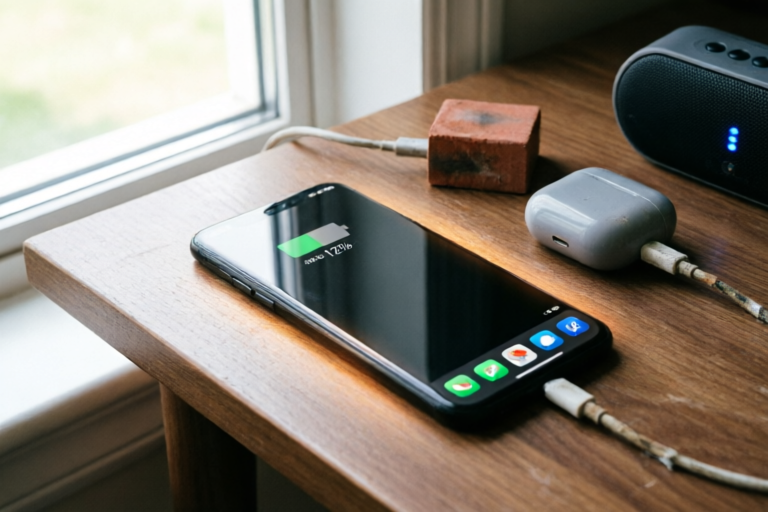
Why Does My Phone Battery Drain So Quickly?
Extend Your Phone's Battery Life with These Expert Tips
Introduction to the Problem
One of the most common complaints among smartphone users is the rapid depletion of their phone's battery. Whether you're out and about or just going about your daily routine, having a phone that runs out of juice too quickly can be frustrating and inconvenient. Understanding the causes behind this issue is crucial for better battery management and ensuring your device stays charged longer.
Common Causes of Rapid Battery Drainage
Overheating and Its Impact on Battery Life
Heat is one of the biggest enemies of your phone's battery. Excessive heat can degrade the battery's performance over time, leading to faster drainage. This is especially true for phones that are used in hot environments or those that are heavily utilized while gaming or streaming videos.
Background Apps and Their Effect on Battery Usage
Many users are unaware that running background apps can significantly drain their battery. Apps that continue to run in the background even when not actively being used can consume substantial amounts of power. Social media apps, messaging services, and location-based services are prime examples of apps that can eat away at your battery if left unchecked.
Screen Brightness Settings and Battery Consumption
The screen is one of the most power-hungry components of a smartphone. Keeping your screen brightness at maximum levels can deplete your battery much faster than if you were to lower it to a more comfortable level. Adjusting your screen brightness to a moderate setting can help conserve battery life, especially in well-lit environments.
Software-Related Issues Affecting Battery Life
Updates and Their Potential to Improve or Worsen Battery Performance
Software updates can sometimes lead to improvements in battery efficiency, but they can also introduce bugs or new features that may increase power consumption. It's important to weigh the pros and cons before installing an update. If you notice a significant drop in battery life after an update, consider rolling back to the previous version if possible.
Malware and Background Processes Draining the Battery
Malware and malicious software can secretly run in the background, consuming your phone's battery without your knowledge. Regularly scanning your device for viruses and malware can help prevent this from happening. Additionally, be cautious when downloading apps from untrusted sources, as these apps may contain hidden processes that drain your battery.
Power-Hungry Applications That Consume More Energy Than Necessary
Certain apps, particularly those that require constant internet connectivity or use advanced graphics, can be very taxing on your phone's battery. Streaming apps, video games, and augmented reality tools are notorious for consuming large amounts of power. Managing these apps by closing them when not in use or using them sparingly can help preserve your battery life.
Hardware Factors Contributing to Faster Battery Drain
Aging Batteries and Their Reduced Capacity Over Time
Batteries naturally degrade over time, losing their ability to hold a charge as effectively as they did when new. This aging process is accelerated by factors like frequent recharging and exposure to extreme temperatures. If your phone is several years old, it might be time to consider replacing the battery for optimal performance.
High-Performance Hardware Demanding More Power
Modern smartphones come equipped with powerful processors, high-resolution displays, and advanced cameras, all of which demand more power. While these features enhance the user experience, they also contribute to faster battery drainage. Ensuring that your phone has sufficient power to handle these demands is essential for maintaining a good balance between performance and battery life.
Connectivity Features (Bluetooth, GPS) Affecting Battery Efficiency
Features like Bluetooth, Wi-Fi, and GPS can significantly impact your phone's battery life. Leaving these features enabled when they're not needed can lead to unnecessary power consumption. Turning off Bluetooth and GPS when not in use, and switching to airplane mode in areas with poor network coverage, can help conserve battery power.
Tips for Extending Your Phone's Battery Life
Practical Steps to Optimize Battery Usage
There are several practical steps you can take to optimize your phone's battery usage. Lowering screen brightness, disabling unnecessary notifications, and closing unused apps are all effective ways to extend your battery life. Additionally, using dark mode on your phone can reduce power consumption, especially when viewing content on the screen.
Recommendations for Proper Charging Habits to Maintain Battery Health
Proper charging habits are crucial for maintaining your phone's battery health. Avoid letting your battery drop to zero percent, and try to keep it between 20% and 80% whenever possible. Also, use the original charger that came with your phone, as third-party chargers may not provide the same level of protection for your battery.
Strategies for Reducing Overall Power Consumption Without Sacrificing Functionality
Reducing overall power consumption doesn't have to mean sacrificing functionality. By optimizing your phone's settings and being mindful of how you use your device, you can still enjoy all the features your phone offers while extending its battery life. For example, turning off vibration alerts and enabling battery-saving modes during times of low power can help you make the most of your remaining charge.
Conclusion and Final Thoughts
In conclusion, understanding the various factors that contribute to rapid battery drainage is key to managing your phone's power more effectively. By addressing issues related to overheating, background apps, and software updates, and by adopting healthy charging habits, you can significantly extend your phone's battery life. Remember, taking proactive measures to prolong your device's battery life is an investment in both convenience and longevity. For more information on battery optimization, consider exploring additional resources and staying informed about the latest trends in mobile technology.
Comments

This worked for me! I turned off location services when not needed and adjusted my notification settings. Much better now.

I've been using a wireless charger and noticed my battery heats up faster. Is this normal?

I upgraded my phone's software last week and noticed a slight improvement in battery life. Worth checking!

Does anyone know if using fast chargers can shorten battery life? Mine seems to heat up quicker now.

Screen brightness is a huge factor. I switched to auto-brightness and it made a noticeable difference.
Malware can really kill your battery! I had a rogue app running in the background that was eating up all my power.

I noticed my battery drains faster when I leave Bluetooth on. Turned it off when not in use and saw a big improvement.
Same issue here. My battery barely lasts half a day. I keep my screen brightness low and close unused apps but no luck.