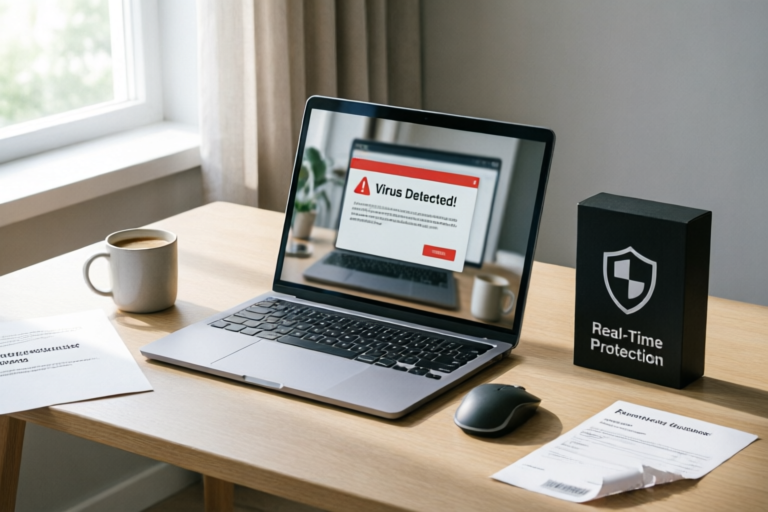
Why Do I Need Antivirus Software for My Computer?
Protect Your Digital Life with Reliable Antivirus Software
Introduction to the Importance of Antivirus Software
Antivirus software plays a crucial role in safeguarding your computer against malicious software and cyber threats. It helps protect your system from viruses, malware, phishing attacks, and other digital dangers that could compromise your data or even render your device unusable.
One common misconception is that modern computers are inherently safe and don't require antivirus protection. However, this couldn't be further from the truth. Cybercriminals continuously develop new tactics to exploit vulnerabilities in both hardware and software. Therefore, having robust antivirus software is more important than ever before.
Types of Threats an Antivirus Can Protect Against
Viruses and Malware Definitions
Viruses are programs designed to spread from one computer to another by attaching themselves to executable files or documents. Once activated, they can cause significant damage, such as corrupting files, stealing sensitive information, or even destroying entire systems. Malware, short for malicious software, encompasses a broader range of harmful programs including viruses, worms, trojans, spyware, adware, and ransomware.
Phishing Attacks and How They Can Be Mitigated
Phishing attacks involve tricking users into providing personal information like passwords or credit card details through deceptive emails or websites. These scams often appear legitimate but are crafted to steal valuable data. Antivirus software can help identify suspicious links and warn users about potentially fraudulent sites, reducing the risk of falling victim to phishing attempts.
Ransomware Risks and Prevention Methods
Ransomware is a type of malware that encrypts files on infected machines and demands payment for decryption keys. This form of attack can lead to severe financial losses and operational disruptions for individuals and businesses alike. To prevent ransomware infections, it’s vital to keep all software up-to-date, avoid clicking on unknown links or downloading attachments from untrusted sources, and regularly back up important data.
How Antivirus Software Works
Real-Time Protection Mechanisms Explained
Modern antivirus solutions offer real-time protection by monitoring system activities continuously. When a user opens a file, visits a website, or downloads content, the antivirus scans it instantly for any signs of malicious activity. If something suspicious is detected, the program takes immediate action to neutralize the threat without affecting normal operations.
Signature-Based vs. Behavior-Based Detection Methods
Antivirus programs use two primary techniques to detect threats: signature-based and behavior-based detection. Signature-based detection relies on pre-existing databases containing known virus signatures. Whenever a file matches one of these signatures, it is flagged as potentially dangerous. On the other hand, behavior-based detection looks at how programs behave rather than just their code structure. By analyzing patterns of activity, this method can identify previously unseen threats based on unusual behaviors indicative of malicious intent.
Regular Updates and Their Importance
Since new viruses and malware emerge daily, keeping your antivirus software updated is critical. Regular updates ensure that the software has the latest definitions and algorithms needed to combat emerging threats effectively. Most reputable antivirus providers automatically update their products; however, users should still periodically check for manual updates if automatic updating fails.
The Cost of Not Having Antivirus Protection
Financial Impact of Data Breaches
Data breaches resulting from insufficient security measures can result in substantial financial penalties under regulations like GDPR (General Data Protection Regulation). Additionally, businesses may face lawsuits from affected customers seeking compensation for damages incurred due to compromised personal information.
Potential Loss of Personal Information
Without proper safeguards, personal information stored on unprotected devices becomes vulnerable to theft. This includes login credentials, social security numbers, bank account details, etc., which could be exploited by identity thieves leading to severe consequences such as unauthorized transactions or fraud.
Risks to Business Operations and Reputation
For organizations, failing to implement adequate cybersecurity measures poses serious risks beyond mere monetary loss. A single incident might disrupt critical business processes, leading to downtime that impacts productivity and customer satisfaction. Moreover, negative publicity surrounding data leaks can severely damage corporate reputations making it difficult to regain trust among stakeholders.
Balancing Security with Performance
How to Choose the Right Antivirus Solution for Your Needs
Selecting appropriate antivirus software depends largely upon individual requirements. For home users looking for basic protection against everyday threats, free versions offered by popular brands usually suffice. Meanwhile, enterprises dealing with complex IT environments benefit more from comprehensive suites offering advanced features like email filtering, web filtering, firewall integration, etc.
Tips for Minimizing Performance Impact
While effective, some antivirus programs can slow down systems significantly. To mitigate this issue:
- Optimize Scan Settings: Adjust scan frequency and depth according to usage patterns. Running full scans less frequently during peak hours while performing quick checks more often when idle can strike a balance between thoroughness and speed.
- Disable Unnecessary Features: Some premium editions come loaded with additional utilities that aren’t always necessary. Disabling those not required will free up resources for core functionalities.
- Perform Scheduled Maintenance: Conduct routine maintenance tasks like cleaning temporary files, defragmenting drives, and updating drivers to keep the operating system running smoothly alongside the antivirus application.
Free vs. Paid Antivirus Options
There are pros and cons associated with both free and paid antivirus offerings. Free versions tend to lack certain advanced features found in premium packages but remain effective against common threats. Paid alternatives typically provide superior support services, continuous updates, and enhanced protection capabilities tailored specifically towards enterprise-level needs.
Conclusion: Making Informed Decisions About Your Computer's Security
In summary, understanding the importance of antivirus software involves recognizing its ability to shield against diverse forms of online threats while balancing security concerns with system performance. By choosing suitable solutions based on specific needs and following best practices outlined above, you can create a safer computing environment that protects against potential hazards.
Stay informed about evolving cybersecurity trends to ensure continued safety. Regularly review security policies, educate employees regarding safe browsing habits, and invest in reliable tools capable of adapting to changing landscapes within cyberspace.
Comments

I heard some antiviruses slow down your computer. Any tips to keep it fast while staying safe?

Same. My home PC was infected after clicking a dodgy email link. Now I'm more cautious and use a firewall too.

Great article. For small businesses, it's crucial to have robust antivirus. Any advice on choosing the best one for us?

This worked for me. Installed a new antivirus and haven't had any issues since.

Phishing scams are real! I almost gave out my bank info. Now I'm extra careful and use multi-factor authentication.
Same issue here. How do I know if my free antivirus is as good as the paid ones?

Totally agree. My laptop got hit with ransomware last year. Lost all my important files until I installed proper antivirus. Lesson learned.