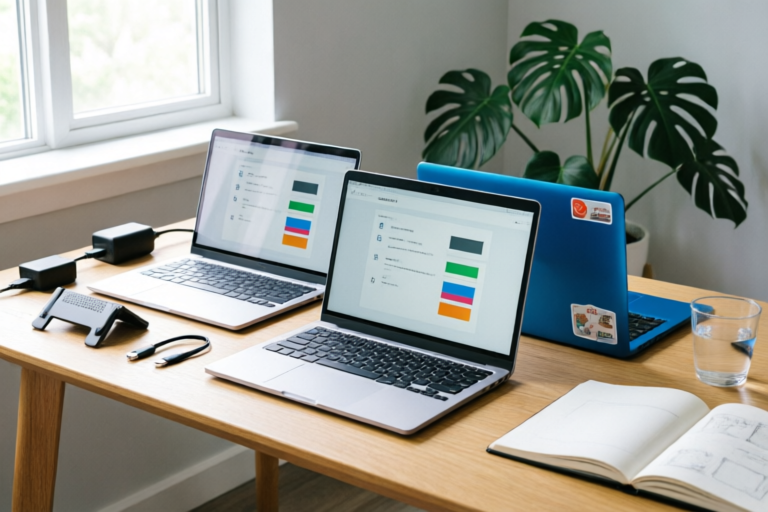
How to Choose the Best Budget Laptop for Students?
Smart Tech for Bright Futures
Introduction
In today's rapidly evolving educational landscape, technology is no longer a luxury; it is a fundamental necessity. From taking lecture notes and researching papers to attending virtual classes and submitting assignments, students rely heavily on their devices to succeed academically. However, the financial burden on students is well-documented. With tuition fees rising and personal budgets stretched thin, finding a reliable computer without breaking the bank becomes a critical challenge.
This comprehensive guide is designed to navigate you through the complex world of laptop specifications, helping you identify the best budget laptop for students. Whether you are an incoming freshman planning your first semester or a returning student upgrading to a new device, understanding the balance between cost and performance is key. We will explore how to assess your specific academic needs, decode hardware jargon, and find the most cost-effective purchasing channels. By the end of this article, you will be equipped with the knowledge to make an informed decision that supports your studies for years to come.
1. Understand the Purpose of Student Laptops
Before diving into technical specifications, it is crucial to define what we mean by a "student laptop" and why affordability is central to the decision-making process. A budget laptop does not necessarily mean low quality. Instead, it represents a strategic allocation of resources where functionality outweighs premium aesthetics or excessive computing power.
The Balance Between Cost and Performance
The primary objective of a student laptop is versatility. It needs to handle word processing, web browsing, media streaming, and research databases efficiently. Unlike gamers who require high-end graphics cards to render real-time 3D environments, or engineers who need massive processors for compiling code, the average student workflow is relatively lightweight. However, "lightweight" workflows have evolved. Modern web applications are resource-heavy, and cloud-based learning management systems demand stable connectivity and decent multitasking capabilities.
Affordability is crucial because education costs have skyrocketed globally. Investing $1,500+ in a consumer laptop is a significant commitment for someone living on a scholarship or part-time job income. The goal is to find a machine that offers a longevity of at least three to four years—enough to cover undergraduate coursework or vocational training. By setting clear priorities on performance versus price, you avoid paying for features you will never use, such as dedicated gaming GPUs or ultra-premium finishes that dent easily. Understanding this purpose prevents buyer's remorse and ensures that your finances remain focused on your degree.
2. Assess Your Specific Academic Requirements
Not all students have the same technological needs. The choice of laptop should be dictated largely by your major and the specific software you will encounter in your curriculum. Treating every student the same can lead to purchasing a machine that is either overpowered (wasting money) or underpowered (struggling to keep up).
Majors Dictating Software Needs
Humanities and Social Sciences: For majors like History, Literature, Psychology, or Sociology, the core tasks involve writing essays, conducting online research, creating presentations, and perhaps analyzing qualitative data using basic statistical tools. A standard laptop with a solid processor and good screen real estate is sufficient. You likely won't need powerful graphics processing units (GPUs) unless you plan to incorporate multimedia projects into your thesis.
Business and Economics: These students deal extensively with spreadsheets, financial modeling software like Excel, and presentation tools like PowerPoint. While they rarely need gaming specs, they do require large amounts of RAM to handle heavy datasets without crashing. Multitasking is common here, meaning having many browser tabs open alongside a financial dashboard requires robust memory management.
Engineering and Computer Science: This group faces the most stringent hardware demands. Engineering students may use CAD software like AutoCAD, SolidWorks, or MATLAB, which are highly resource-intensive. Computer Science majors will need to compile code, run virtual machines, and potentially test software locally. For these students, a budget laptop still makes sense, but the definition of "budget" shifts higher. They might need to look at entry-level professional laptops rather than ultra-budget consumer models to ensure the machine doesn't melt under thermal loads.
Creative Arts: Graphic design, video editing, and architecture students require color-accurate displays and strong processors. While a fully equipped workstation is expensive, a mid-range budget option with a decent screen resolution can serve a student well for portfolio creation and basic editing tasks. If you are in this field, prioritizing display quality over raw processing speed is often the right trade-off.
3. Key Hardware Specifications to Prioritize
Once you know your major, the next step is decoding the hardware. There are several components that dictate the lifespan and speed of your laptop. Ignoring these details when shopping for a budget device is a recipe for frustration.
Processor Types: The Brain of the Machine
The Central Processing Unit (CPU) determines how fast your computer thinks. For budget laptops, you generally do not need flagship Intel Core i9 or AMD Ryzen 9 processors. Instead, focus on the Intel Core i3/i5 (11th Gen or newer) or AMD Ryzen 3/5 (4000 series or newer) lines.
Look for chips ending in "U" (Ultra Low Power) for excellent battery efficiency, suitable for students carrying a heavy backpack across campus. However, if you are doing intensive tasks, "H" (High Performance) series chips might be worth the slight battery sacrifice. Avoid older generations (pre-2020) as they lack energy efficiency improvements found in newer silicon.
Minimum RAM: 8GB Is the Sweet Spot
Random Access Memory (RAM) allows your computer to hold active data for quick access. In 2024, 4GB is considered insufficient for modern web browsing, which is packed with scripts and ads. Windows updates alone can consume significant memory.
We recommend a minimum of 8GB for any budget laptop. This allows you to have a Word document, a research browser tab, and Spotify running simultaneously without slowdown. Ideally, look for 16GB, but if the budget is tight, 8GB is acceptable provided you close unused apps. Crucially, verify if the RAM is soldered (non-upgradeable) or comes in SODIMM slots. If it is soldered, you cannot upgrade later, so invest in 8GB now.
Storage Speed: SSD Over HDD
This is arguably the most critical spec for daily satisfaction. Never buy a budget laptop that relies solely on a mechanical Hard Disk Drive (HDD). These drives are slow, noisy, and prone to failure if dropped. Always opt for a Solid State Drive (SSD).
An SSD drastically reduces boot time. A Windows 11 laptop with an SSD will boot in seconds compared to minutes with an HDD. For storage capacity, 256GB is the bare minimum for a budget device. However, with cloud storage services like OneDrive or Google Drive being ubiquitous, 128GB might suffice if you rely heavily on cloud syncing. Look for NVMe M.2 SSDs, which offer faster read/write speeds compared to traditional SATA SSDs.
4. Portability, Battery Life, and Build Quality
A laptop is meant to move. Students are constantly traveling between dormitories, libraries, classrooms, and coffee shops. Therefore, physical attributes are just as important as internal components.
Lightweight Design for Campus Mobility
Students carry heavy textbooks; adding a 6-pound brick to your bag is unnecessary. Aim for a laptop weighing between 2.5 and 3.5 pounds (1.1 to 1.6 kg). Ultrabooks are typically designed for this range. Additionally, consider the dimensions. A slim profile ensures the laptop fits easily into bags with fewer items and opens up even in cramped lecture hall desks or library study rooms with small tables.
Battery Life for All-Day Classes
Nothing disrupts a study session like watching a percentage bar hit zero mid-exam. While manufacturers claim impressive battery figures, real-world testing is often different. Aiming for 8 hours of continuous use is realistic for light browsing and typing.
To achieve this, look for laptops with Energy Star certifications or those known for efficient screens. OLED panels look great but drain batteries faster than IPS panels. Also, check if the charger is compact. A USB-C charger that supports Power Delivery is convenient because you might share it with a tablet or smartphone, reducing charging adapter clutter.
Durable Construction
Budget does not always mean fragile. Many modern budget laptops utilize aluminum chassis or reinforced polycarbonate materials. Check for MIL-STD-810G certification, which indicates the device has passed military-grade drop and vibration tests. Even without certification, feel the build quality before buying. A wobbly hinge or loose trackpad suggests poor construction that won't survive a dorm room.
Keyboard comfort is also a form of durability for students. Typing thousands of words per year puts stress on keys. A keyboard with decent travel height prevents finger fatigue. Some budget options omit the numpad; decide if you need it for accounting tasks or if the space savings are more valuable.
5. Setting a Realistic Budget and Purchase Channels
Now that you know what to look for, let's talk numbers. Establishing a price ceiling helps narrow down search results effectively.
Recommended Price Ranges
$300 - $500: This is the entry-level bracket. Expect a Celeron or Pentium processor, 8GB RAM, and 128GB SSD. Good for basic web browsing, Microsoft Office, and reading e-books. Ideal for elementary students or those on extreme financial constraints.
$500 - $800: This is the "sweet spot" for most university students. Here, you find Core i5 or Ryzen 5 processors, 16GB RAM options, and 512GB SSDs. This range provides a future-proof experience for four years of undergraduate study.
$800+: If your major requires engineering or creative work, budget slightly higher. However, try to stick near the lower end of this tier unless you specifically need a touchscreen or high-fidelity display.
Student Discounts and Refurbished Units
Never pay full retail price without investigating discounts. Most major brands offer verified student discounts through platforms like UNiDAYS or SheerID. You can often get $50-$100 off or free accessories.
Additionally, consider certified refurbished units. Companies like Amazon Renewed, Back Market, or manufacturer outlets sell returned or open-box devices that have been tested and warrantied. A refurbished business-class laptop (like a Dell Latitude or HP EliteBook) often outperforms a brand-new consumer laptop in the same price range because the original build quality was higher. Just ensure there is a warranty included, preferably 1 year.
6. Final Recommendation and Summary
Choosing the best budget laptop is a synthesis of understanding your academic path, prioritizing hardware essentials, and managing your wallet wisely.
Summary of Decision-Making
To recap, start by identifying your major’s software requirements. If you are an engineer, lean towards higher specs; if you are a writer, prioritize ergonomics and screen comfort. Second, lock in your mandatory hardware: an SSD is non-negotiable, 8GB RAM is the floor, and a recent-generation CPU ensures longevity. Third, evaluate physical traits like weight and battery life, remembering that a heavy battery-killing laptop will sit unused in your bag.
Timing Your Purchase
Timing can save you hundreds of dollars. The back-to-school season (July through September) sees aggressive pricing as retailers compete for student traffic. Cyber Monday and Black Friday in November also offer deep discounts on electronics. Avoid buying immediately after release, as prices only stabilize or drop later. If you can wait, checking prices in January often yields clearance deals on last year's models.
Final Verdict
In conclusion, the best budget laptop for students isn't about the cheapest sticker price; it is about the best value proposition relative to your workload. By investing in a machine with 8GB+ RAM, an SSD, and a durable build, you ensure that technology supports rather than hinders your education. Remember, this device is a tool for your success. Treat it with care, maintain it regularly with software updates, and take advantage of protection plans if offered. With the right choice, you will not only pass your exams but do so with the efficiency and peace of mind that comes from reliable technology.
Comments

This post saved me so much research. Thought I needed MacBook but didn't know I could find Windows versions for half the price.

Got mine off Swappa instead. Saved 20% and warranty still works. Much better than new retail.

Pro tip: wait for back to school season. Prices drop like crazy between July-August.

The portability section hits hard. Lugging a 14lb laptop down stairs every day is a total nightmare.

Wait, does 8gb ram cover basic programming? I see so many conflicting recommendations on reddit lol.

Finally upgraded my old brick. Went with 5th gen i5 per your advice. Boot time is instant now.